Quick start
Requires Bun ≥ 1.3.11, git, and at least one engine CLI
(claude, codex, or copilot) on PATH.
Install
bun install -g @sma1lboy/kobe

# or try it without installing
bunx @sma1lboy/kobe
First run
ssh devbox        # optional — kobe runs wherever your code lives
cd your-repo
kobe
Press n, pick a repo, base branch, and engine, and prompt the embedded
session. The worktree lands in ~/.kobe/worktrees/<repo-key>/<task-slug>/.
Press F1 anytime for the live keybinding reference; ctrl+q focuses the
sidebar, and from there quits. Sessions keep running in the background.
Reattach later with plain kobe and the screen comes back.
The TUI is full-mouse: click to focus panes and sidebar rows, wheel to scroll
(forwarded to the engine when it asks for mouse input), drag to select.
Shift-drag bypasses mouse reporting for a native selection. When a background
session finishes or needs input, kobe raises a desktop notification (OSC 9,
which rides SSH back to your local terminal), plays a chime, and lights an
unread dot; ctrl+a, i opens the attention inbox across all tasks.
Fan out from the shell
One prompt, N isolated attempts, one command:
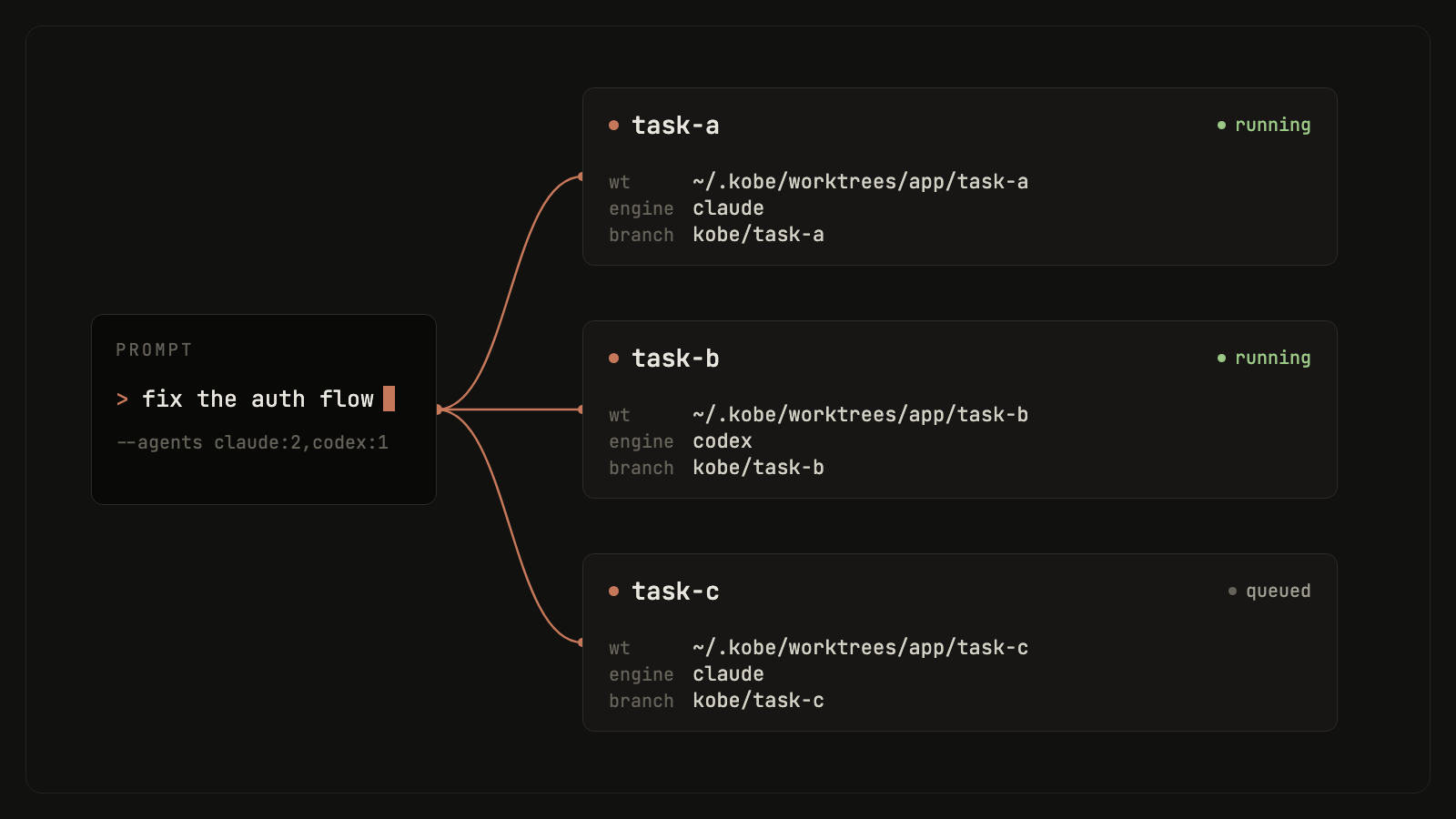
kobe api fan-out --repo "$PWD" \
  --agents claude:2,codex:2 \
  --prompt "Try independent approaches to simplify the auth flow."
Compare the attempts, then land the winner:
kobe api collect --task-ids a,b,c      # read-only comparison snapshot
kobe api land --task-id a              # merge the winning branch
Let your agent drive
Install the companion skill so your agent can orchestrate this loop itself:
kobe skill installIf it gets stuck
kobe doctor            # read-only diagnosis: daemon, PTY host, engines, git
kobe doctor --report   # write a bundle you can attach to a bug report
More in Troubleshooting.
Next steps
- Concepts: tasks, sessions, and what survives what.
- CLI + API reference: every command and RPC verb.
- Configuration: engines, themes, notifications.